> For the complete documentation index, see [llms.txt](https://wiki.sunrisemc.tw/llms.txt). Markdown versions of documentation pages are available by appending `.md` to page URLs; this page is available as [Markdown](https://wiki.sunrisemc.tw/joinus/readme.md).
# 加入伺服器
加入日出伺服器(SunriseMC)教學:Java 版 sunrisemc.tw、基岩版 be.sunrisemc.tw 連線位址與步驟,台灣 Minecraft 生存伺服器
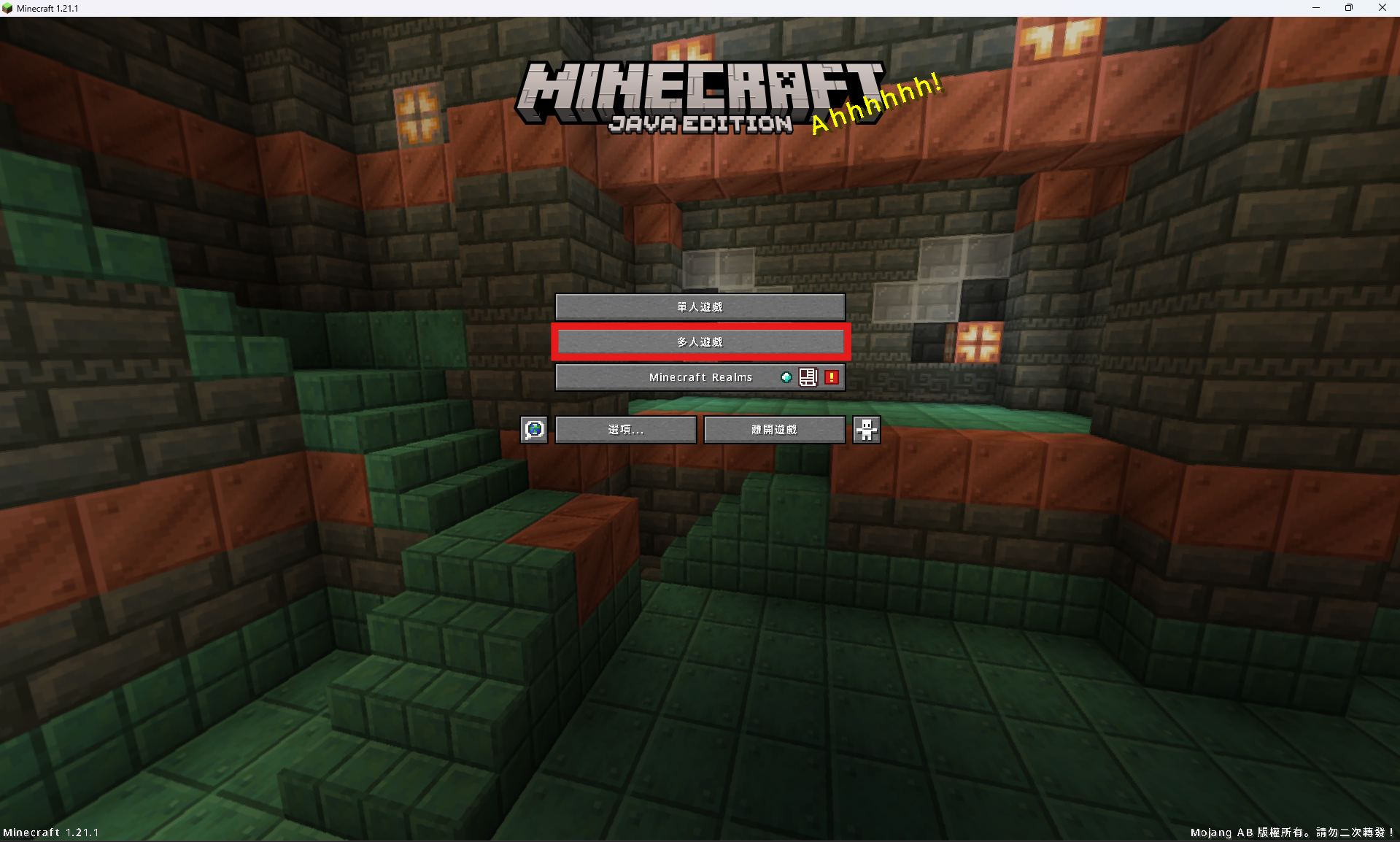
* 進入Minecraft並點選 `多人遊戲`
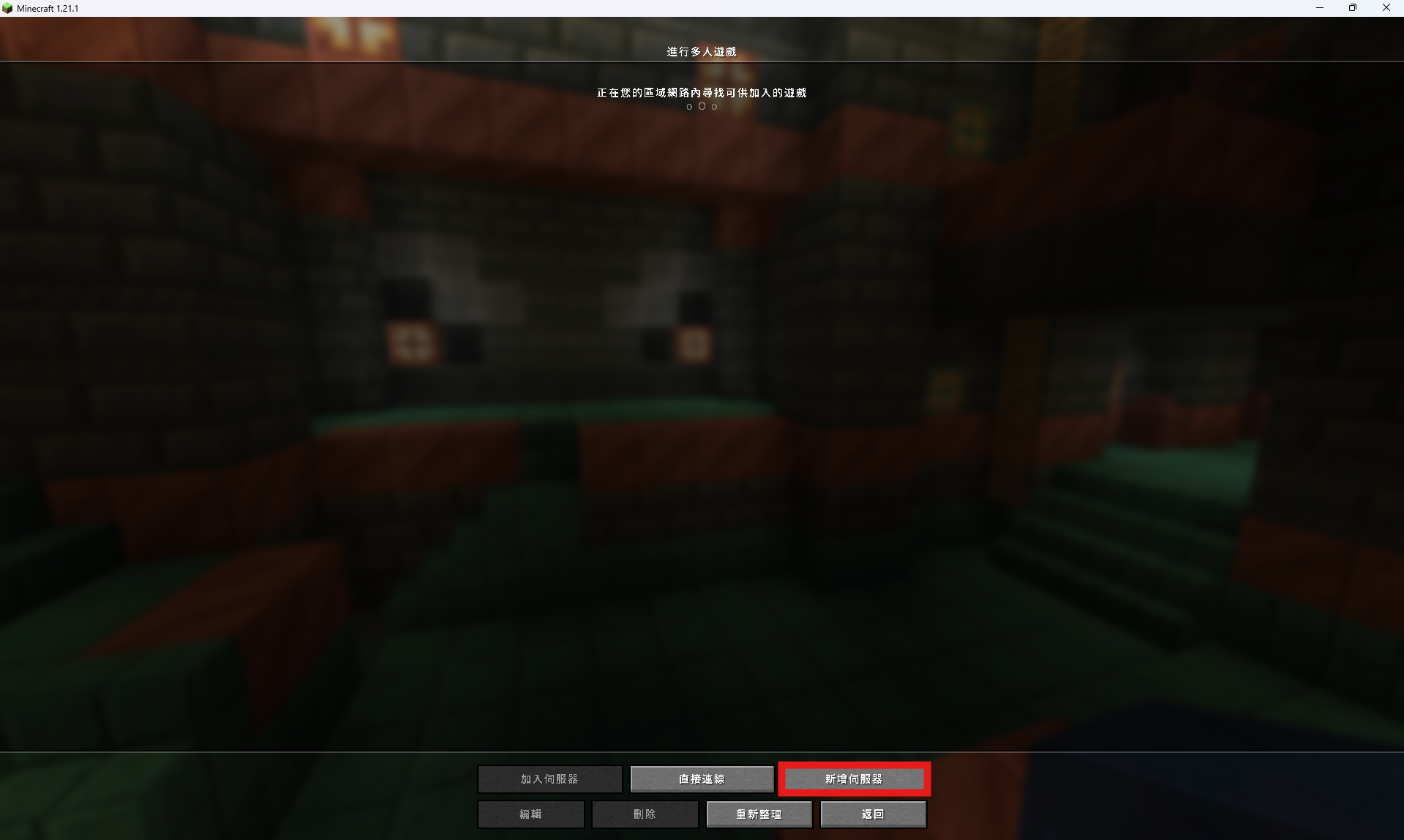
 * 選擇 `新增伺服器`
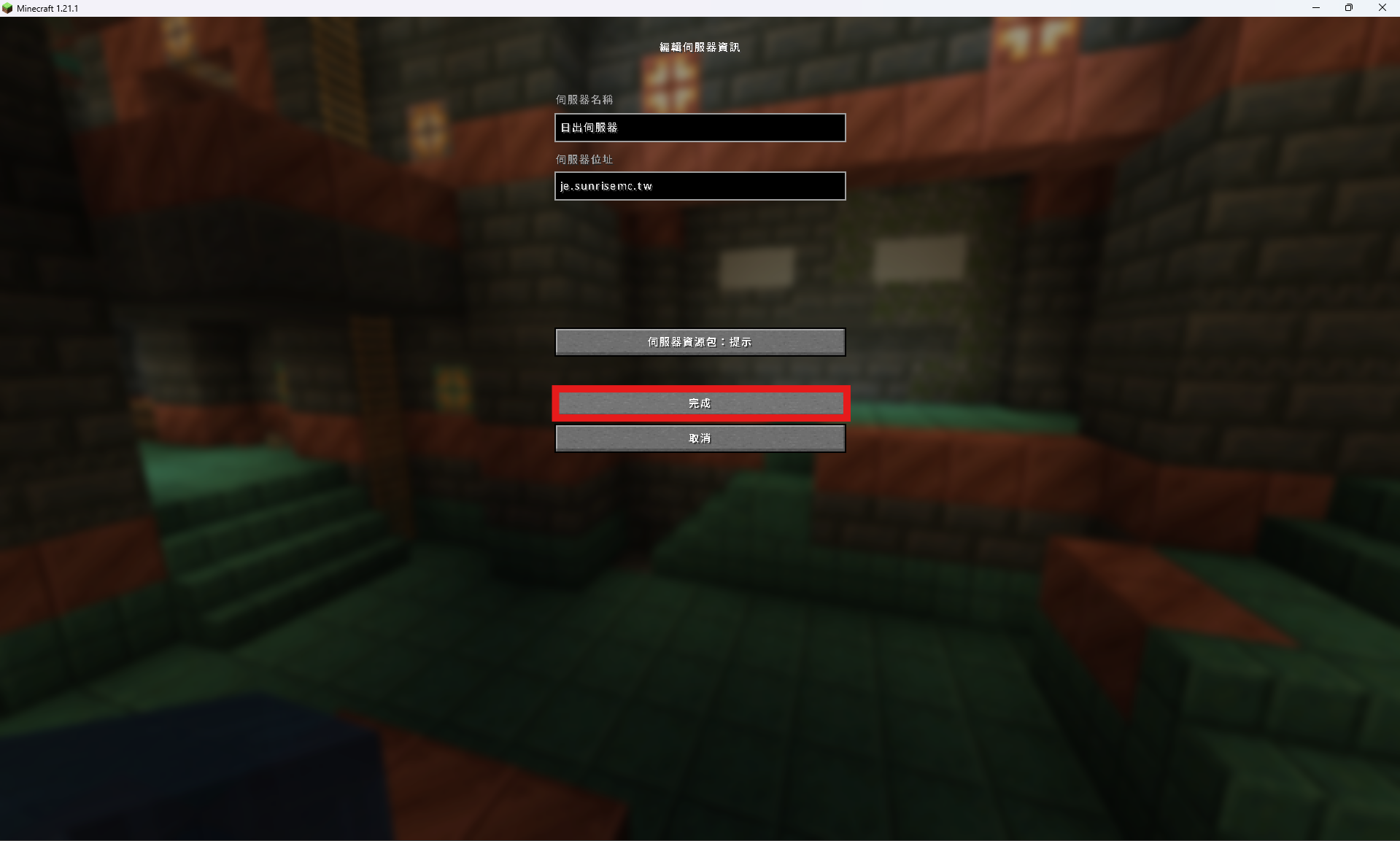
 * 自訂伺服器名稱,並在伺服器位址輸入 `sunrisemc.tw`,再點選 `完成`
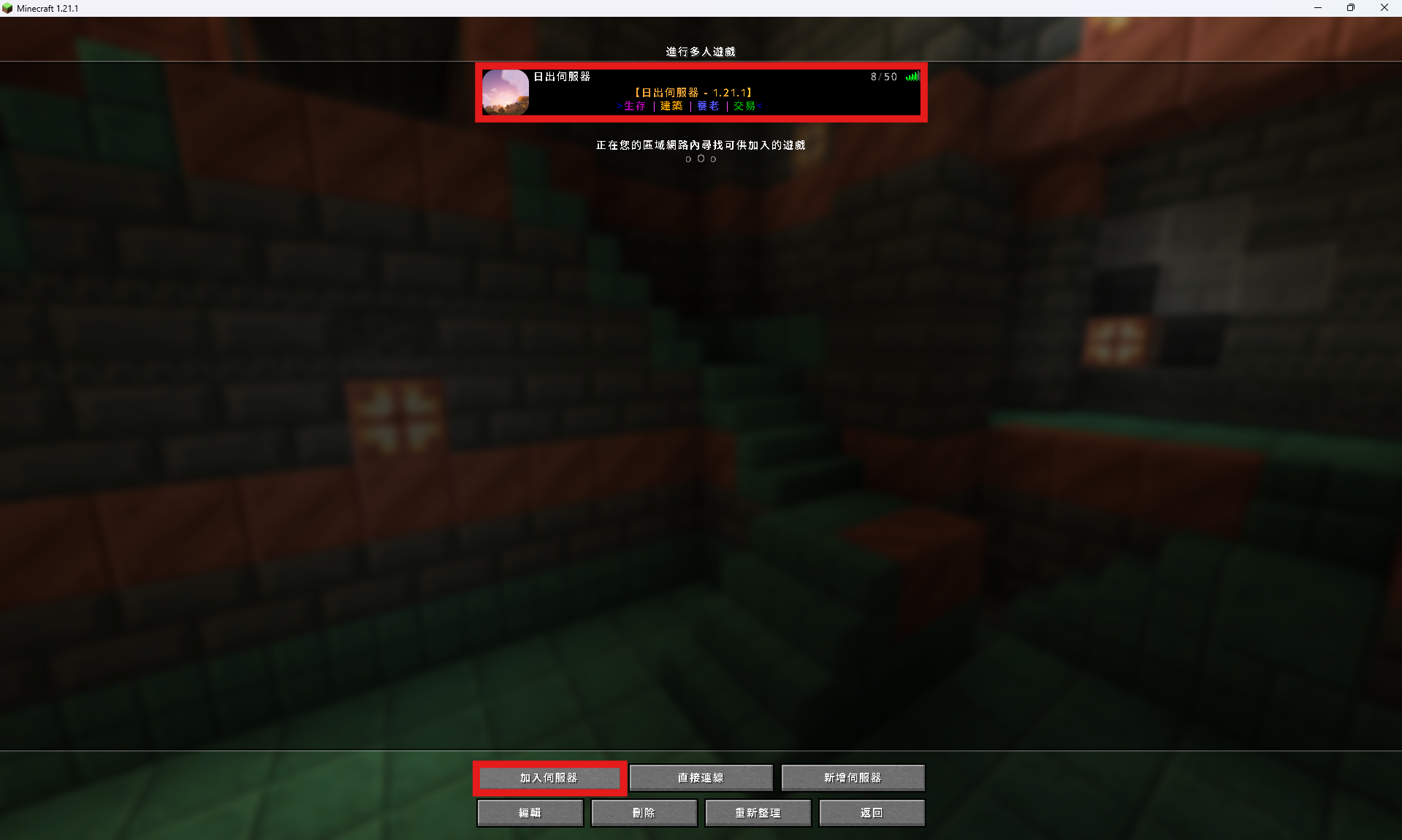
 * 選擇伺服器並點選 `加入伺服器`
 ## 完成!開始遊玩吧!
進入伺服器後可輸入 `/menu` 開啟主選單。
## 連線位址一覽
支援 Minecraft **Java 26.2**,1.13 以上版本亦可連線。
### Java 版
| 位置 | 位址 |
| ---- | ------------------ |
| 自動 | `sunrisemc.tw` |
| 台灣一 | `tw.sunrisemc.tw` |
| 台灣二 | `tw2.sunrisemc.tw` |
| 美區一 | `us.sunrisemc.tw` |
| 美區二 | `us2.sunrisemc.tw` |
| 香港一 | `hk.sunrisemc.tw` |
| 韓國一 | `kr.sunrisemc.tw` |
| 新加坡一 | `sg.sunrisemc.tw` |
| 新加坡二 | `sg2.sunrisemc.tw` |
### 基岩版
| 位置 | 位址 | 連接埠 |
| --- | -------------------- | ------- |
| 自動 | `be.sunrisemc.tw` | `12345` |
| 台灣 | `tw.be.sunrisemc.tw` | `19132` |
| 香港 | `hk.be.sunrisemc.tw` | `2002` |
| 韓國 | `kr.be.sunrisemc.tw` | `19132` |
| 新加坡 | `sg.be.sunrisemc.tw` | `19132` |
## 完成!開始遊玩吧!
進入伺服器後可輸入 `/menu` 開啟主選單。
## 連線位址一覽
支援 Minecraft **Java 26.2**,1.13 以上版本亦可連線。
### Java 版
| 位置 | 位址 |
| ---- | ------------------ |
| 自動 | `sunrisemc.tw` |
| 台灣一 | `tw.sunrisemc.tw` |
| 台灣二 | `tw2.sunrisemc.tw` |
| 美區一 | `us.sunrisemc.tw` |
| 美區二 | `us2.sunrisemc.tw` |
| 香港一 | `hk.sunrisemc.tw` |
| 韓國一 | `kr.sunrisemc.tw` |
| 新加坡一 | `sg.sunrisemc.tw` |
| 新加坡二 | `sg2.sunrisemc.tw` |
### 基岩版
| 位置 | 位址 | 連接埠 |
| --- | -------------------- | ------- |
| 自動 | `be.sunrisemc.tw` | `12345` |
| 台灣 | `tw.be.sunrisemc.tw` | `19132` |
| 香港 | `hk.be.sunrisemc.tw` | `2002` |
| 韓國 | `kr.be.sunrisemc.tw` | `19132` |
| 新加坡 | `sg.be.sunrisemc.tw` | `19132` |